Notion app kaise use kare? Notion इस्तेमाल करना शुरू करने में 10 मिनट लगते हैं: notion.so या Play Store/App Store से app खोलें, Google account से sign up करें, sidebar में + New page दबाकर एक page बनाएं, उसमें title लिखें और नीचे टाइप करना शुरू कर दें। सब कुछ अपने-आप save होता है। असली काम इसके बाद शुरू होता है — page के अंदर / (slash) दबाते ही to-do list, table, heading, calendar जैसे blocks की पूरी सूची खुल जाती है, और यही blocks मिलकर notes, timetable और assignment tracker बनाते हैं।
Notion App Kya Hai?
Notion एक note-taking और organisation app है, पर इसे notebook से ज्यादा एक खाली पन्ना समझिए जिसमें आप खुद तय करते हैं कि क्या रखना है। एक ही page में paragraph, checklist, table, image, link और दूसरे pages — सब एक साथ रह सकते हैं। यही इसकी ताकत है और शुरुआत में यही उलझन भी।
Android, iPhone, Windows, Mac और browser — सब जगह एक ही account से चलता है और बदलाव तुरंत sync हो जाते हैं। यानी class में phone पर लिखा note घर पर laptop खोलते ही वहीं मिल जाएगा। Notion का इस्तेमाल notes के अलावा आपके पूरे mobile workflow का हिस्सा कैसे बनता है, यह Top Mobile Apps की पूरी हिंदी गाइड में देखा जा सकता है।
Notion App Kaise Use Kare – Step by Step
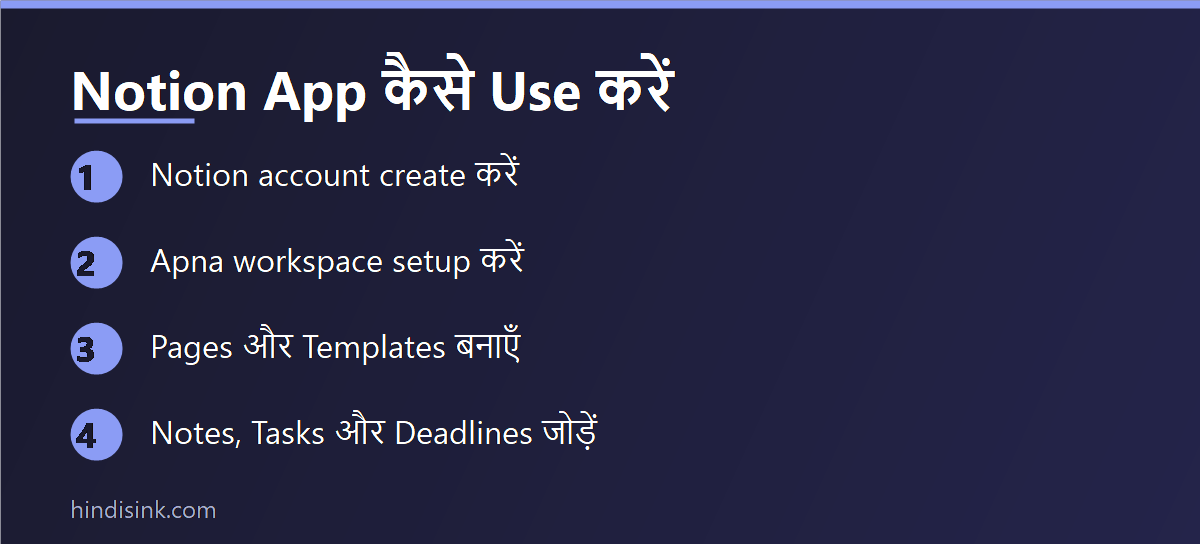
Step 1: Account बनाएं
Notion की official website या app से Google account/email से sign up करें। Sign-up के समय यह पूछा जाता है कि आप इसे खुद के लिए इस्तेमाल करेंगे या team के साथ — student हैं तो “For myself” चुनें। College का email है तो उसी से sign up करें, आगे education plan के काम आ सकता है।
Step 2: पहला page बनाएं
Sidebar (phone में ऊपर-बाएं के तीन लाइन वाले icon से खुलता है) में + New page दबाएं। ऊपर title लिखें — जैसे “Physics”। बस, page बन गया। ध्यान दें कि Notion में कोई Save button नहीं होता; जो लिखा वह उसी वक्त सुरक्षित हो जाता है।
Step 3: Blocks समझें — यही पूरा Notion है
खाली line पर / टाइप करते ही एक list खुलती है। सबसे ज्यादा काम आने वाले कुछ ही हैं:
- /h1, /h2 — heading, जिससे लंबा note हिस्सों में बंट जाता है
- /todo — checkbox वाली list, syllabus और assignment के लिए सबसे काम की
- /table — simple table
- /page — page के अंदर दूसरा page (जैसे Physics के अंदर हर chapter का अलग page)
- /divider — एक लकीर, दिन या topic अलग करने के लिए
- /toggle — छिपी हुई line; सवाल ऊपर, जवाब अंदर — self-test के लिए बहुत काम आता है
एक छोटी सी बात जो शुरू में अटकाती है: slash commands सिर्फ English में काम करते हैं। आप note हिंदी में लिख सकते हैं, पर block बुलाने के लिए /todo ही टाइप करना होगा, “/सूची” नहीं।
Step 4: चार pages से शुरुआत करें
पहले दिन पूरा dashboard बनाने की कोशिश मत कीजिए। इतना काफी है:
- Class Notes — हर subject का एक sub-page
- Assignment Tracker — एक table: काम, subject, deadline, status
- Study Planner — हफ्ते के दिनों की to-do list
- Exam Checklist — syllabus के हर topic का एक checkbox
Step 5: Phone की home screen पर widget लगाएं
Android में home screen देर तक दबाकर Widgets → Notion चुनें और अपना Assignment Tracker page उससे जोड़ दें। जो page home screen पर दिखता है, वही असल में खुलता भी है — बाकी हर planner app की तरह Notion भी भुला दिया जाता है अगर उसे रोज सामने न रखा जाए।
Notion Templates Kaise Lagayein?
हर चीज शुरू से बनाने की जरूरत नहीं। Notion के sidebar में Templates का option होता है, और इससे बड़ी लाइब्रेरी उसकी official Template Gallery में है। Gallery में किसी template का page खोलकर ऊपर-दाएं Duplicate दबाइए — उसकी एक copy आपके अपने workspace में आ जाएगी, जिसे आप जैसे चाहें बदल सकते हैं।
Students के लिए काम के template: Student Dashboard, Class Notes, Assignment Tracker, Reading List, Habit Tracker, Semester Planner। एक ईमानदार चेतावनी — YouTube पर दिखने वाले भारी-भरकम “aesthetic” dashboards ज्यादातर लोग एक हफ्ते बाद छोड़ देते हैं। जितना आप रोज भरेंगे, उतना ही रखिए। और template चुनते समय देख लें कि वह free है या paid; Gallery में दोनों तरह के होते हैं।
Notion Mein Hindi Typing Kaise Kare?
Notion हिंदी में लिखने-पढ़ने के लिए ठीक काम करता है — इसमें अलग से कोई setting बदलनी नहीं पड़ती।
- Phone पर: Gboard में हिंदी keyboard जोड़ लें (Settings → System → Languages & input → Gboard → Languages → Hindi)। Gboard का Hindi (Transliteration) layout चुनें तो “kal exam hai” टाइप करने पर “कल exam है” अपने-आप बन जाता है — नोट्स के लिए यही सबसे तेज तरीका है।
- Laptop पर: Windows में Settings → Time & language → Language & region से Hindi जोड़ें और Windows + Space से keyboard बदलें।
- Search: देवनागरी में लिखे शब्द Notion के search में मिल जाते हैं, पर हिंदी और Hinglish दोनों में लिखने की आदत हो तो एक ही चीज दो जगह छूट सकती है। तय कर लें कि heading किस लिपि में लिखेंगे।
Kya Notion Students Ke Liye Free Hai?
हां, Notion का Free plan निजी इस्तेमाल के लिए है और एक student को जो चाहिए — pages, notes, to-do, tables, mobile sync — वह सब इसमें मिल जाता है। पर free plan की कुछ सीमाएं जरूर हैं, जो ज्यादातर गाइड नहीं बतातीं:
- File upload की size सीमित है। छोटी PDF या image चल जाती है, भारी lecture PDF नहीं। ऐसी files Google Drive में रखकर उसका link Notion में लगाना ज्यादा व्यावहारिक है।
- Page history सीमित समय की होती है। गलती से बड़ा हिस्सा मिटा दिया और हफ्तों बाद याद आया, तो वापस लाना मुश्किल हो सकता है।
- दूसरों के साथ मिलकर edit करने (guests) की गिनती सीमित है — group project में यह सामने आता है।
- Notion AI अलग paid चीज है, free plan का हिस्सा नहीं। कुछ मुफ्त जवाब मिलते हैं, उसके बाद बंद हो जाता है।
इसके अलावा Notion एक education plan भी चलाता है, जिसमें verified student या educator email से sign up करने पर ज्यादा features वाला plan मुफ्त मिल सकता है। इसकी शर्तें और eligible email domains समय-समय पर बदलते रहते हैं, इसलिए sign up करने से पहले Notion के education page पर मौजूदा शर्तें खुद देख लें। सारी plan limits भी कंपनी बदलती रहती है — ऊपर लिखी बातें सामान्य समझ के लिए हैं, अंतिम जानकारी Notion के pricing page पर ही मिलेगी।
Kya Notion Offline Chalta Hai?
पूरी तरह नहीं। Notion मूल रूप से एक online app है — offline support पहले बहुत कमजोर था और बाद में सुधरा है, पर यह अब भी offline-first notebook नहीं है। जो pages आपने हाल में खोले हैं वे बिना internet दिख सकते हैं, लेकिन पुराने page पर जाना या बड़ा बदलाव करना भरोसे का काम नहीं।
इसका सीधा मतलब यह है: exam की सुबह, train में या खराब network वाले hostel में सिर्फ Notion पर निर्भर मत रहिए। जिन notes की जरूरत ऑफलाइन पड़ सकती है, उन्हें page के ⋯ menu से Export → PDF करके phone में रख लीजिए, या जरूरी हिस्सा Google Keep में copy कर लीजिए।
Notion vs Google Keep vs Google Docs – Kaun Sa Kab?
| काम | बेहतर विकल्प | क्यों |
| अचानक याद आई बात, shopping list | Google Keep | खुलने में एक सेकंड, offline भी चलता है |
| Assignment, project report लिखना | Google Docs | Page formatting, word count, comments, print/PDF |
| पूरे semester के notes एक जगह | Notion | Pages के अंदर pages, checklist और table एक साथ |
| Deadline और status track करना | Notion | Table में status/priority column बनता है |
| बिना internet लिखना | Google Keep / Docs | दोनों का offline काम भरोसेमंद है |
| Teacher के साथ मिलकर लिखना | Google Docs | Sharing और comment सबको पहले से आता है |
यानी तीनों एक-दूसरे के replacement नहीं हैं। ज्यादातर students के लिए सबसे व्यावहारिक जोड़ यही बैठता है — छोटी बातें Keep में, लिखकर जमा करने वाला काम Docs में, और पूरा syllabus-deadline का ढांचा Notion में।
Notion Use Karte Waqt Ye Galtiyan Na Karein
- पहले हफ्ते में ही बड़ा dashboard बनाना। सजावट में जितना समय जाता है, पढ़ाई में उतना ही कम बचता है।
- भारी PDF सीधे Notion में डालना। Drive में रखिए, link Notion में।
- दो-तीन note apps एक साथ चलाना। Notes आधे यहां, आधे वहां — यही मूल समस्या थी जिससे बचने के लिए Notion लिया था।
- Notes का कोई backup न रखना। हर semester के अंत में जरूरी pages Export → PDF कर लेना अच्छी आदत है।
- Personal page को “Share to web” कर देना। यह option page को इंटरनेट पर सबके लिए खोल देता है — गलती से on हो जाए तो निजी notes सार्वजनिक हो सकते हैं।
अक्सर पूछे जाने वाले सवाल
क्या Notion App free है?
हां, निजी इस्तेमाल के लिए free plan मिलता है और एक student की जरूरतें उसी में पूरी हो जाती हैं। File upload size, page history और guests की संख्या पर सीमाएं होती हैं, और Notion AI अलग से paid है। मौजूदा शर्तें Notion के pricing page पर देखें।
Notion में notes कैसे बनाएं?
Sidebar में + New page दबाएं, title लिखें और नीचे टाइप करना शुरू कर दें। Heading, checklist या table जोड़ने के लिए खाली line पर / दबाएं और block चुन लें। Save करने की जरूरत नहीं होती।
क्या Notion offline इस्तेमाल हो सकता है?
सीमित रूप से। हाल में खोले गए pages बिना internet दिख सकते हैं, पर यह भरोसेमंद offline app नहीं है। जरूरी notes को पहले ही PDF में export करके रख लेना ज्यादा सुरक्षित है।
Notion में हिंदी में लिखा जा सकता है?
हां, देवनागरी पूरी तरह चलती है। Phone में Gboard का Hindi या Hindi (Transliteration) keyboard जोड़ लीजिए। बस slash commands (/todo, /table) English में ही टाइप करने होंगे।
Students के लिए सबसे काम के Notion templates कौन से हैं?
Assignment Tracker, Class Notes, Study/Semester Planner, Exam Checklist और Reading List। Template Gallery से Duplicate करके अपने हिसाब से बदल लें — शुरुआत में सबसे सादा वाला चुनना ज्यादा टिकता है।
Notion अच्छा है या Google Keep?
दोनों का काम अलग है। Keep दो लाइन के quick note और reminder के लिए बना है और offline भी चलता है; Notion पूरे semester के notes, deadlines और checklists को एक ढांचे में रखने के लिए। ज्यादातर students दोनों साथ इस्तेमाल करते हैं।
Notion के notes किसी और को कैसे भेजें?
Page के ऊपर Share से email के जरिए भेजा जा सकता है, या ⋯ menu से Export → PDF करके सीधे WhatsApp पर भेज सकते हैं। “Share to web” का इस्तेमाल सोच-समझकर करें — वह page को इंटरनेट पर सबके लिए खोल देता है।