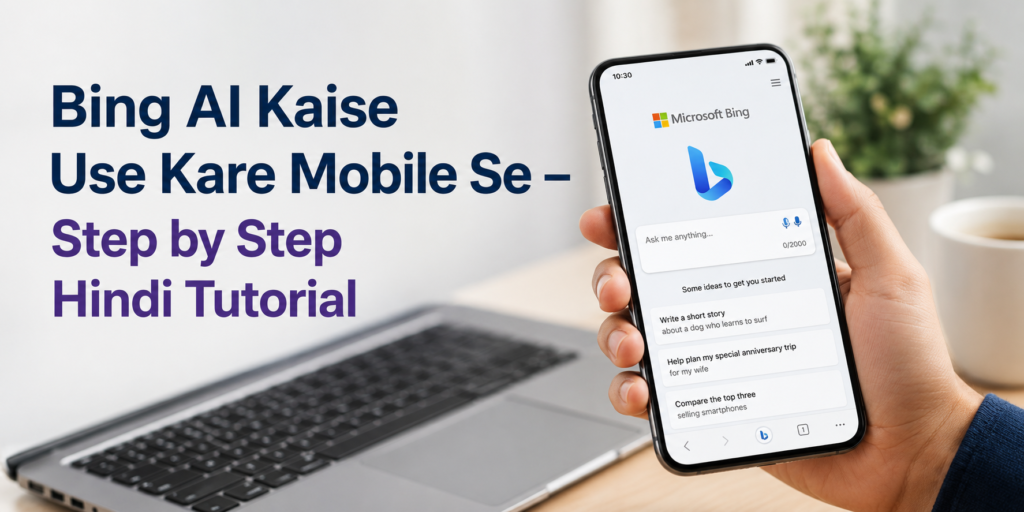
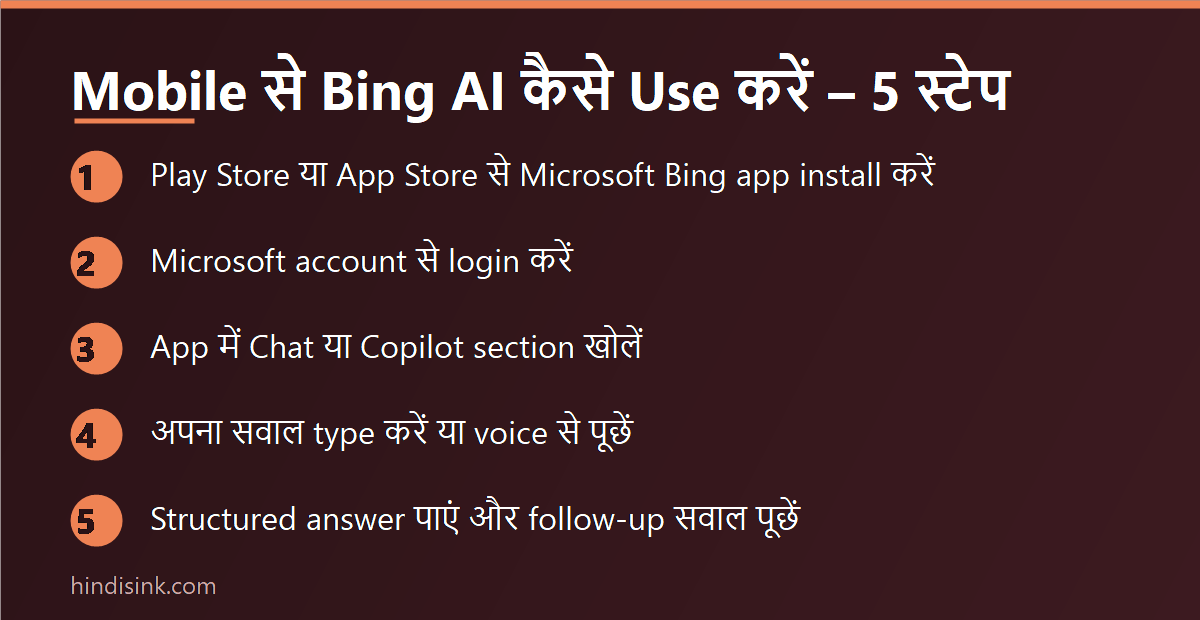
Copilot kaise use kare, यह जानने से पहले वो बात जो ज़्यादातर गाइड नहीं बतातीं — Bing AI अब Bing AI नाम से नहीं चलता, Microsoft ने उसे Copilot कर दिया है। आज अगर आप ब्राउज़र में bing.com/chat खोलेंगे तो वो अपने आप copilot.microsoft.com पर पहुँचा देगा। मोबाइल से इस्तेमाल करने का सबसे तेज़ तरीका यही है: Chrome में copilot.microsoft.com खोलिए और नीचे वाले box में हिंदी या English में सवाल लिख दीजिए। App चाहिए तो Play Store पर Microsoft का Copilot app या Microsoft Bing Search app install कर सकते हैं। पूरा setup दो मिनट का है।
Bing AI Ab Copilot Hai – Naam Kab Aur Kyun Badla
शुरुआत में Microsoft ने अपने search engine Bing के अंदर एक AI chat जोड़ा था, जिसे लोग Bing AI या Bing Chat कहने लगे। बाद में Microsoft ने अपने सारे AI features को एक ही नाम — Copilot — के नीचे ला दिया। इसलिए आज आपको Bing के अंदर “Bing AI” लिखा हुआ कहीं नहीं मिलेगा, वहाँ Copilot लिखा दिखेगा।
ये आप खुद चेक कर सकते हैं। मोबाइल ब्राउज़र में bing.com/chat टाइप करके देखिए — address bar में URL बदलकर copilot.microsoft.com हो जाएगा। यानी पुराना Bing AI और आज का Copilot एक ही चीज़ है, सिर्फ़ नाम और interface बदला है।
इसका एक practical मतलब भी है: पुराने YouTube videos में जो “Bing app खोलो, नीचे Bing icon दबाओ, chat खुलेगी” वाले steps दिखाए गए हैं, वो अब उसी तरह काम नहीं करते। नीचे वाले steps आज के interface के हिसाब से हैं।
Copilot (Bing AI) Kaise Use Kare Mobile Par – Step by Step
Step 1: Browser Me Copilot Kholiye
Chrome या कोई भी mobile browser खोलिए और address bar में copilot.microsoft.com लिखिए। कुछ सेकंड में chat वाला page खुल जाएगा। App install करने की ज़रूरत इस step में नहीं है — यही कारण है कि कम RAM वाले फ़ोन पर ये तरीका सबसे ठीक रहता है।
Step 2: Sign In Karein (Optional Hai, Par Behtar Hai)
ऊपर दाईं तरफ़ Sign in का option मिलता है। Microsoft account (Outlook, Hotmail या Live वाली ID) से login कर लीजिए। बिना sign-in भी सवाल पूछे जा सकते हैं, लेकिन तब chat history save नहीं रहती और कुछ features restricted रह सकते हैं। Microsoft account नहीं है तो वहीं से free बनाया जा सकता है।
Step 3: Sawaal Hindi Me Likhiye
नीचे message box में सीधे हिंदी में लिख दीजिए, जैसे “मेरे 10वीं के बेटे के लिए एक हफ़्ते का study timetable बनाओ” या “इस paragraph को आसान हिंदी में समझाओ”। Copilot हिंदी समझता भी है और हिंदी में जवाब भी देता है। Voice के लिए keyboard का mic button इस्तेमाल कर सकते हैं।
Step 4: Follow-up Poochhiye
जवाब मिलने के बाद बातचीत ख़त्म मत कीजिए। “इसे और छोटा करो”, “point-wise लिखो”, “इसमें example जोड़ो” जैसे follow-up से जवाब काफ़ी बेहतर हो जाता है। एक ही chat में context बना रहता है, इसलिए बार-बार पूरा सवाल दोहराने की ज़रूरत नहीं पड़ती।
Step 5: Source Links Check Kijiye
जब सवाल किसी news, price, date या सरकारी scheme से जुड़ा हो, तो Copilot जवाब के नीचे link देता है। उन links को खोलकर एक बार खुद पढ़ लीजिए। ये आदत सबसे ज़रूरी है — नीचे limitations वाले हिस्से में वजह भी दी है।
Copilot App Aur Bing App – Dono Me Kya Farq Hai
Play Store पर दो अलग चीज़ें मिलती हैं और यहीं लोग confuse होते हैं।
- Microsoft Copilot — Microsoft का AI assistant app। Chat, document का काम और AI features इसी में हैं।
- Microsoft Bing Search — Bing का search app, जिसके अंदर अब “Copilot Search in Bing” दिया गया है। यानी search results के साथ-साथ AI जवाब भी दिखता है।
दोनों में से कोई भी install कीजिए, अंदर चलने वाला AI Copilot ही है। अगर सिर्फ़ सवाल पूछने हैं और फ़ोन की storage बचानी है, तो app की ज़रूरत ही नहीं — browser वाला तरीका same काम करता है। App का असली फ़ायदा तब है जब आप रोज़ इस्तेमाल करते हैं और home screen पर shortcut चाहिए।
Copilot Me Free Me Kya-Kya Milta Hai
Copilot का basic इस्तेमाल free है और यही ज़्यादातर लोगों के लिए काफ़ी है। Free में आम तौर पर ये काम हो जाते हैं:
- किसी भी topic पर सवाल-जवाब, हिंदी और English दोनों में
- लंबे text या article का summary
- Email, application, caption, bio जैसे छोटे drafts लिखवाना
- Translation और grammar सुधार
- Internet से जुड़े हुए ताज़ा सवाल, जिनके साथ source links आते हैं
- Text से image बनाना (इसकी limit होती है, नीचे देखिए)
Paid plan का नाम और कीमत Microsoft समय-समय पर बदलता रहता है, इसलिए यहाँ कोई figure लिखना ग़लत होगा — current plan और price हमेशा Copilot के अंदर Settings या copilot.microsoft.com पर ही देखें।
Copilot Se Image Kaise Banaye
Chat box में सीधे लिख दीजिए कि आपको क्या image चाहिए, जैसे “एक भारतीय चाय की दुकान का सुबह वाला realistic photo बनाओ”। Prompt जितना specific होगा (जगह, समय, रंग, style, कैसा angle), result उतना काम का आएगा।
दो बातें साफ़ रखिए। पहली — free में रोज़ कितनी images तेज़ी से बनेंगी इसकी एक limit होती है; limit ख़त्म होने के बाद images बनना बंद नहीं होता, पर काफ़ी धीमा हो जाता है। ये limit Microsoft बदलता रहता है, इसलिए कोई पक्का number मान कर मत चलिए। दूसरी — असली लोगों के चेहरे, brand logo, movie posters या किसी की copyrighted artwork जैसी चीज़ें बनवाने पर request block हो सकती है।
अगर आपका मुख्य काम photo सुधारना है, image बनाना नहीं, तो उसके लिए अलग tools ज़्यादा सही रहते हैं — AI से फोटो एडिट कैसे करें वाली गाइड में वो apps step-by-step दिए हैं। AI से image बनाने के अलग-अलग styles देखने हों तो Ghibli style AI images वाली पोस्ट भी काम की है।
Copilot vs ChatGPT vs Gemini – Kaun Sa Kis Kaam Ke Liye
तीनों का basic काम एक जैसा है, फ़र्क़ इस्तेमाल की आदत और ecosystem का है।
| Tool | सबसे ज़्यादा काम का कब | ध्यान रखने वाली बात |
| Copilot (Bing AI) | Web से जुड़े ताज़ा सवाल, source links के साथ जवाब, Windows/Office इस्तेमाल करने वाले | Microsoft account चाहिए होता है |
| ChatGPT | लंबा लिखवाना, rewriting, step-by-step समझाना | Free version में कुछ features limited रहते हैं |
| Gemini | Android फ़ोन, Google account और Google apps के साथ काम | कुछ features भाषा और region पर निर्भर करते हैं |
व्यावहारिक सलाह — तीनों पर एक ही सवाल डालकर देखिए और जिसका जवाब आपके काम का लगे उसे रखिए। ChatGPT का पूरा setup ChatGPT कैसे यूज़ करें हिंदी में वाली गाइड में दिया है, और बाक़ी free AI tools की list Best Free AI Tools में मिल जाएगी।
Behtar Jawab Pane Ke Liye 5 Cheezein
- सवाल में अपना context दीजिए — “resume लिखो” की जगह “12वीं पास, 6 महीने का delivery job experience, अब store helper की job के लिए resume लिखो”।
- Output का format बता दीजिए — points में, table में, 100 शब्दों में, या WhatsApp message की तरह।
- एक chat में एक ही topic रखिए। नया काम शुरू करते वक़्त नई chat खोलिए, वरना पुराना context जवाब को भटका देता है।
- हिंदी में जवाब चाहिए तो सवाल के अंत में “हिंदी में जवाब दो” लिख दीजिए, वरना कई बार English में आ जाता है।
- Number, तारीख़ या rate वाले जवाब दो बार पूछिए — अलग शब्दों में। जवाब बदल जाए तो समझ जाइए कि भरोसे लायक नहीं है।
Kya Nahi Karna Chahiye – Honest Limitations
Copilot अच्छा tool है, जादू नहीं। जो चीज़ें अक्सर ग़लत होती हैं:
- Confident ग़लत जवाब: किसी scheme की last date, किसी app का charge या कोई आँकड़ा पूछने पर जवाब पूरे भरोसे के साथ ग़लत भी आ सकता है। इसलिए source link ज़रूर खोलिए।
- Personal और financial details: Aadhaar number, बैंक account, OTP, password या किसी की private जानकारी chat में मत डालिए।
- Medical और legal सलाह: दवा, बीमारी या क़ानूनी मामलों में इसे doctor या वकील की जगह मत समझिए।
- Region-based features: कुछ features हर देश और हर भाषा में एक साथ नहीं आते, इसलिए किसी video में दिखा feature आपके फ़ोन में न दिखे तो ये bug नहीं है।
- Homework और office काम: जवाब को जस का तस copy करने से पहले एक बार पढ़कर अपने शब्दों में ठीक कर लेना बेहतर रहता है।
अक्सर पूछे जाने वाले सवाल
Bing AI kaise use kare mobile se?
मोबाइल ब्राउज़र में copilot.microsoft.com खोलिए और सवाल लिख दीजिए। Bing AI अब Copilot नाम से ही चलता है, इसलिए bing.com/chat भी आपको वहीं भेज देगा। App चाहिए तो Play Store से Microsoft Copilot या Microsoft Bing Search install कर सकते हैं।
Kya Copilot free hai?
हाँ, basic chat, summary, translation और सीमित image generation free में इस्तेमाल हो जाते हैं। Paid plan अलग से मौजूद है, लेकिन उसका नाम और कीमत बदलती रहती है, इसलिए वो app के अंदर ही देखें।
Kya Copilot use karne ke liye Microsoft account zaruri hai?
सिर्फ़ सवाल पूछने के लिए ज़रूरी नहीं है, लेकिन sign in किए बिना chat history save नहीं होती और कुछ features पर रोक लग सकती है। रोज़ इस्तेमाल करना हो तो account बना लेना ही ठीक रहता है।
Copilot aur Bing AI me kya difference hai?
कोई difference नहीं है — Bing AI पुराना नाम था, Copilot नया नाम है। Microsoft ने अपने सारे AI features एक ही brand के नीचे कर दिए, इसलिए अब Bing के अंदर भी वही Copilot मिलता है।
Kya Copilot Hindi me jawab deta hai?
हाँ। सवाल हिंदी में पूछिए या अंत में “हिंदी में जवाब दो” लिख दीजिए। लंबे और technical जवाबों में कई बार English शब्द मिल जाते हैं, ऐसे में “आसान हिंदी में दोबारा लिखो” कहकर सुधरवाया जा सकता है।
Kya Copilot ke jawab par bharosa kiya ja sakta hai?
समझाने, लिखने और summary बनाने में यह काफ़ी भरोसेमंद है। लेकिन तारीख़, कीमत, नियम या आँकड़ों वाले जवाब हमेशा उसके दिए source link या official website पर verify कर लीजिए।
Purane videos me dikhaye gaye Bing app ke steps kyun nahi chalte?
क्योंकि interface बदल चुका है। पहले Bing app में नीचे एक अलग Bing/chat icon मिलता था; अब वही काम Copilot के नाम से आता है। इसलिए 2023-24 के tutorials के screenshots आज के app से मेल नहीं खाते।
इन्हें भी पढ़ें
ChatGPT Kaise Use Kare Hindi Me – Free Me AI Se Kaam Kare
AI से पैसे कैसे कमाएं – 9 तरीके
Sanchar Saathi App क्या है – फ़ायदे, फ़ीचर्स और इस्तेमाल
घर बैठे पैसे कमाने के 25 असली तरीके
Social Media:
Facebook | Instagram | Youtube |