Ghibli style AI images kaise banaye — जवाब आसान है: Ghibli style image बनाने के लिए किसी paid app की ज़रूरत नहीं। ChatGPT या Gemini खोलिए, अपनी photo upload कीजिए और लिखिए कि इसे soft, hand-painted anime illustration में बदल दो, चेहरा वैसा ही रखो। दोनों के free account में यह चलता है, बस रोज़ की एक limit रहती है जिसके बाद कुछ घंटे रुकना पड़ता है।
नीचे दोनों tools का तरीका अलग-अलग दिया है, चार ready prompts, prompt लिखने का formula, और वे दो बातें जो इस trend के बारे में ज़्यादातर पोस्ट नहीं बतातीं — copyright वाली स्थिति और यह कि tool कभी-कभी “Ghibli” नाम सुनकर ही मना क्यों कर देता है।
Ghibli Style Image Kya Hoti Hai Aur Ye Trend Kaha Se Aaya
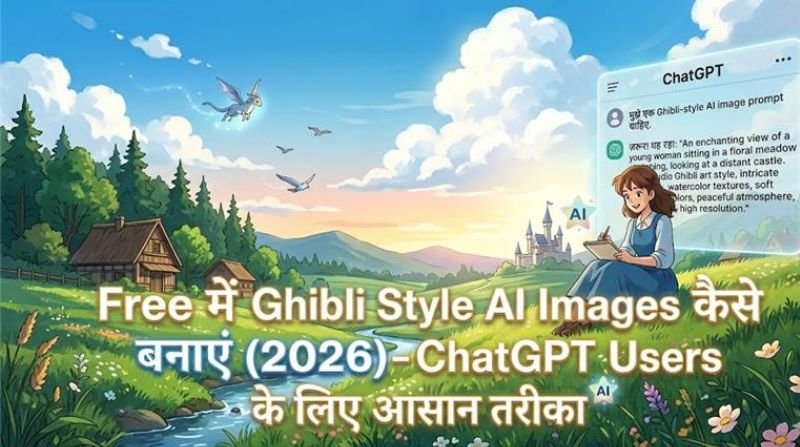
Studio Ghibli जापान का एनिमेशन स्टूडियो है — My Neighbour Totoro, Spirited Away जैसी फिल्में इसी की हैं। इसकी पहचान हाथ से बनी लगने वाली कोमल रंगत, भरी-भरी प्रकृति, साधारण चेहरे और शांत माहौल है। “Ghibli style photo” का मतलब है अपनी असली तस्वीर को उसी तरह की चित्रकारी में बदल देना।
यह trend 2025 के मार्च में तब फूटा जब ChatGPT में सीधे image बनाने और मौजूदा photo को बदलने की सुविधा आई। कुछ ही दिनों में लोगों ने अपनी family photos, शादी की तस्वीरें और profile pictures इसी style में बदल दीं। इतनी भीड़ हुई कि OpenAI को free users के लिए image बनाने की सीमा कुछ समय के लिए और कड़ी करनी पड़ी। Studio Ghibli की तरफ से इसकी कोई इजाज़त नहीं दी गई थी, और स्टूडियो के संस्थापक हायाओ मियाज़ाकी 2016 में ही AI से बनी एनिमेशन के एक demo पर सख्त नाराज़गी जता चुके थे।
Free Me Ghibli Style Image Kaha Se Banti Hai (2026 Ke Options)
- ChatGPT (free account): Photo upload करके बदलवाना यहीं सबसे आसान है। Free में रोज़ गिनती की images बनती हैं, फिर “limit reached” आ जाता है और कुछ घंटे बाद वापस खुलता है।
- Gemini (free account): Google का विकल्प, Android पर पहले से मौजूद। यहाँ भी रोज़ की limit रहती है। Photo से photo बनाने में यह तेज़ है।
- Bing / Copilot: Microsoft account से free image generation मिलती है। Style वहाँ भी बन जाती है, पर photo से photo बदलने में यह कमज़ोर पड़ता है।
- “Ghibli filter” वाले छोटे apps: Play Store पर सैकड़ों हैं। इनमें से ज़्यादातर watermark लगाते हैं, दो-तीन photo के बाद पैसे माँगते हैं, और आपकी photo अपने server पर रखते हैं। ज़रूरत न हो तो इनसे बचिए।
Limits की सही स्थिति किसी लेख से नहीं, app से पता चलती है — दोनों companies इन्हें बदलती रहती हैं। App में profile या “Upgrade” वाली screen खोलिए, वहाँ आपके account पर लागू limit लिखी होती है।
ChatGPT Se Ghibli Style Photo Kaise Banaye
- ChatGPT app या chatgpt.com खोलकर login कीजिए। App पहली बार इस्तेमाल कर रहे हैं तो ChatGPT कैसे use करें पहले देख लीजिए।
- Chat box में plus (+) दबाकर gallery से अपनी photo चुनिए। चेहरा साफ और सामने से दिखना चाहिए।
- नीचे दिया prompt paste कीजिए और भेज दीजिए।
- Image आने के बाद उसी chat में सुधार लिखिए — “रंग थोड़े हल्के करो”, “background में पहाड़ और बादल डालो”, “चेहरा original जैसा ही रखो”।
- नीचे download का icon दबाकर save कीजिए।
एक बात जो अक्सर उलझाती है: कभी-कभी tool साफ मना कर देता है कि वह किसी जीवित स्टूडियो या कलाकार की शैली की नकल नहीं करेगा। ऐसे में “Studio Ghibli” नाम हटा दीजिए और वही बात दूसरे शब्दों में लिखिए — “soft hand-painted anime illustration, watercolour background, gentle pastel colours”। नतीजा लगभग वही आता है।
Gemini Se Ghibli Style Image Banane Ka Tarika
Gemini app खोलिए, image वाला icon दबाकर photo भेजिए और वही prompt लिख दीजिए। Android phones में Gemini पहले से मौजूद होता है, इसलिए यहाँ एक भी app install करने की ज़रूरत नहीं पड़ती।
Google अपनी बनाई हर image में SynthID नाम का अदृश्य निशान डालता है, जिससे बाद में पहचाना जा सके कि तस्वीर AI से बनी है। यह दिखता नहीं और आपके इस्तेमाल में कोई रुकावट नहीं डालता। इसी tool से शादी वाली तस्वीरें भी बनाई जा सकती हैं — उसका पूरा तरीका Gemini AI से wedding photos कैसे बनाएं में है।
Ready Prompts (Copy Karke Use Kare)
1. Single Portrait
“Turn the uploaded photo into a soft hand-painted anime illustration. Keep the face, hairstyle and clothing recognisable. Warm pastel colour palette, gentle watercolour shading, simple clean line work, calm expression, background of a green hillside with a big sky and soft clouds, golden afternoon light, no harsh shadows, no text in the image.”
2. Couple Scene
“Convert this couple photo into a hand-drawn anime scene in a nostalgic Japanese animation style. Keep both faces recognisable, soft rounded features. They are walking on a narrow village road with flowering trees on both sides, evening sky with orange clouds, small birds, gentle wind in the clothes, watercolour texture, warm and calm mood.”
3. Family / Group Photo
“Redraw this family photo as a soft anime illustration. Keep the number of people and their positions exactly the same, keep faces recognisable. Indian home setting: courtyard with a tulsi plant, cotton clothes, warm morning light, hand-painted background, muted natural colours, detailed but simple, no extra people in the frame.”
4. Bina Photo Ke, Sirf Scene
“A hand-painted anime scene: a small Indian village at the start of the monsoon, wet mud road, green fields, a boy with a cycle and an umbrella, heavy grey clouds with light breaking through, soft watercolour texture, warm nostalgic mood, wide cinematic frame.”
Prompt Likhne Ka Formula
अच्छे prompt में चार चीज़ें होती हैं, और यही क्रम काम करता है:
- क्या करना है: “turn this photo into…” या “redraw this as…”। बस “ghibli style” लिख देना सबसे कमज़ोर prompt है।
- चेहरा: “keep the face recognisable” — यह छूटा तो कोई और ही चेहरा बन जाएगा।
- Style के शब्द: hand-painted, watercolour, pastel colours, soft shading, clean line work, nostalgic mood — ये शब्द उस look को बिना नाम लिए ले आते हैं।
- Background और रोशनी: पहाड़, खेत, बारिश, आँगन, शाम की रोशनी — एक ही दृश्य बताइए। Ghibli वाले look में प्रकृति और रोशनी ही असली काम करती है।
जो नहीं चाहिए वह भी लिखिए: “no text, no watermark, no extra fingers, do not change the number of people”। इससे आधी आम गलतियाँ वहीं रुक जाती हैं।
Copyright Aur Studio Ghibli Wali Baat
यह हिस्सा ध्यान से पढ़िए, क्योंकि यहीं लोग फँसते हैं।
- कोई “शैली” (style) आमतौर पर copyright से सुरक्षित नहीं होती — किसी तरह की चित्रकारी बनाना अपने आप में गैरकानूनी नहीं है।
- पर पात्र सुरक्षित होते हैं। Totoro, No-Face या किसी फिल्म के किरदार को अपनी image में डालना अलग मामला है, खासकर अगर आप उसे बेच रहे हों।
- निजी इस्तेमाल — profile photo, दोस्तों को भेजना, घर में print — में आम तौर पर कोई दिक्कत नहीं आती।
- व्यापारिक इस्तेमाल में सावधानी ज़रूरी है। T-shirt, mug या poster छापकर बेचना, या किसी ब्रांड के विज्ञापन में ऐसी image लगाना — इन पर शिकायत आ सकती है, और कई print-on-demand websites ऐसे design खुद ही हटा देती हैं।
- दूसरों की तस्वीरें बिना पूछे इस तरह बदलना भी ठीक नहीं। अपनी या घरवालों की तस्वीर तक रखिए।
AI और copyright को लेकर दुनिया भर में मुकदमे और नए नियम अभी बन ही रहे हैं, इसलिए यह स्थिति आगे बदल सकती है। जो बात आज सुरक्षित है, वह कल सीमित हो सकती है — कमाई का पूरा ढाँचा इसी एक trend पर मत खड़ा कीजिए।
Common Mistakes (Jo Image Ko Nakli Bana Deti Hain)
- दो-तीन शब्द का prompt: “ghibli style photo” से हर बार आम सी image आती है। चार-पाँच line लिखिए।
- धुंधली या दूर से खींची photo: AI चेहरे की जानकारी ही नहीं पढ़ पाता, फिर कोई और चेहरा बना देता है।
- Face वाली line छोड़ देना: “keep the face recognisable” लिखे बिना पहचान चली जाती है।
- बहुत चमकीले रंग माँगना: “vibrant”, “4K”, “hyper detailed” जैसे शब्द इस style को बिगाड़ देते हैं। यहाँ हल्के, शांत रंग चाहिए।
- एक कोशिश में हार मान लेना: दूसरी-तीसरी कोशिश में output काफी सुधरता है, बस हर बार एक ही चीज़ बदलिए।
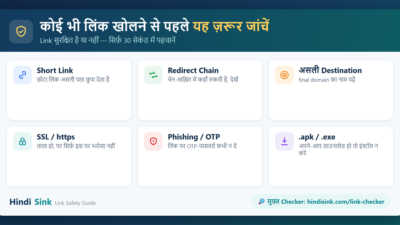
- अनजान websites पर photo upload करना: “free ghibli generator” वाली कई साइटें आपकी तस्वीर अपने पास रख लेती हैं। किसी भी नए link को खोलने से पहले link safe है या नहीं यह जाँच लीजिए।
दूसरी तरह के AI edits — background हटाना, पुरानी photo सुधारना, Instagram के अंदर ही edit करना — के लिए AI से photo edit करने वाले apps, background free में हटाने का तरीका और Instagram Meta AI photo edit देख सकते हैं। Image से छोटा video बनाना हो तो AI से video कैसे बनाएं में free tools दिए हैं।
अक्सर पूछे जाने वाले सवाल
Kya Ghibli style AI images free me ban jati hain?
हाँ, ChatGPT और Gemini दोनों के free account में बन जाती हैं। बस रोज़ की एक limit होती है, जिसके बाद कुछ घंटे इंतज़ार करना पड़ता है।
ChatGPT “Ghibli style” par mana kar de to kya kare?
स्टूडियो का नाम हटाकर वही बात दूसरे शब्दों में लिखिए — “soft hand-painted anime illustration, watercolour background, pastel colours”। यह लगभग वही look देता है और मना नहीं होता।
Kya apni photo upload karna safe hai?
बड़ी companies के official apps में सामान्य तस्वीर भेजना आम बात है, पर वह तस्वीर उनके server पर जाती है। बच्चों की, दस्तावेज़ वाली या निजी तस्वीरें मत भेजिए, और अनजान websites से तो बिल्कुल दूर रहिए।
Kya ye images bechkar paise kama sakte hain?
किसी स्टूडियो की पहचानी शैली या उसके पात्रों पर बनी चीज़ बेचना जोखिम भरा है और कई platforms ऐसे design हटा देते हैं। अपनी अलग शैली बनाकर बेचना ज़्यादा सुरक्षित रास्ता है।
Mobile se ban jati hai ya computer chahiye?
पूरा काम phone से हो जाता है — upload, prompt और download तीनों app में हैं। Computer सिर्फ तब चाहिए जब बाद में भारी editing करनी हो।
Image dhundhli aa rahi hai, print ke liye kya kare?
Free plans में resolution सीमित रहती है, इसलिए बड़ा print अक्सर धुंधला आता है। किसी upscaler से image बड़ी करवाइए, या छोटे size में print कीजिए।
Related Articles (पोस्ट को भी जरूर पढ़ें)
- Gemini AI Se Wedding Photos Kaise Banaye – Prompt Guide
- ChatGPT Kaise Use Kare Hindi Me
- AI Tips And Tricks – Phone Se Kaam Fast Kare
- AI Se Paise Kaise Kamaye – 9 Proven Tarike
- AI Se Video Kaise Banaye – Free Me, Mobile Se
Social Media:
Facebook | Instagram | Youtube |