Photo background remove kaise kare free में? इसका सबसे तेज़ free तरीक़ा आपके फ़ोन में ही है — Samsung, Pixel और iPhone की gallery में photo खोलकर subject पर उँगली दबाए रखिए, वह ख़ुद background से कट जाएगा और आप उसे PNG में save कर सकते हैं। इसमें न website खोलनी पड़ती है, न resolution घटती है। बाक़ी फ़ोन वालों के लिए remove.bg, Canva, Google Photos और PicsArt हैं — पर हर एक की एक न एक मुफ़्त सीमा है, और असली फ़र्क़ वहीं पड़ता है। नीचे पाँचों तरीक़े, उनकी असली limit के साथ।
Phone Ki Gallery Se Photo Ka Background Kaise Hataye (Bina App)
यह तरीक़ा पिछले कुछ सालों के ज़्यादातर फ़ोनों में आ चुका है और सबसे कम लोग इसे जानते हैं।
- Samsung (One UI 5 और बाद के version) — Gallery में photo खोलें, subject पर एक-दो सेकंड उँगली दबाए रखें। Subject के चारों ओर चमकती हुई outline बनेगी और ऊपर Copy / Save as image / Share के option आएँगे। “Save as image” करने पर transparent background वाली PNG gallery में बन जाती है।
- iPhone (iOS 16 और बाद) — Photos app में photo खोलकर subject को press-and-hold करें, वह उठ जाएगा; फिर Copy करके WhatsApp, Notes या किसी भी app में paste कर दें।
- Google Pixel — Photos में Edit → Tools में Magic Editor खोलें, subject पर circle बनाएँ और background बदल या हटा दें।
सीमा साफ़ है — यह सब on-device AI है, तो बाल, चश्मे का फ्रेम और dupatta जैसी बारीक़ चीज़ों के किनारे कई बार खुरदरे रह जाते हैं, और एक photo में दो लोग हों तो कभी-कभी सिर्फ़ एक ही उठता है। ID या print के काम के लिए इसे ज़रूर zoom करके देख लें।
Google Photos Se Background Remove Aur Change Kaise Kare
Google Photos का Magic Editor अब सिर्फ़ Pixel तक सीमित नहीं है, कई Android फ़ोन और iPhone पर भी दिखने लगा है। Photo खोलें → Edit → Tools → Magic Editor → subject पर tap या circle बनाएँ → उसे बड़ा/छोटा करके या background suggestion चुनकर apply करें।
इसकी असली शर्त यह है कि free Google account में Magic Editor के saves हर महीने गिने-चुने ही मिलते हैं; उससे ज़्यादा edit करने के लिए Google One वाला paid plan माँगा जाता है। साथ ही edit करते समय photo Google के server पर जाती है, इसलिए बहुत निजी दस्तावेज़ों की photo इससे न बनाएँ। दूसरी तरफ़ इसका सबसे बड़ा फ़ायदा यह है कि background हटाने के बजाय उसे बदला जा सकता है — जो “photo ka background change kaise kare” ढूँढ़ने वालों का असली काम है।
Remove.bg Se Photo Ka Background Free Me Kaise Hataye
अगर आपके फ़ोन में ऊपर वाले option नहीं हैं, तो remove.bg सबसे साफ़ cut देने वाला tool है — बालों के किनारे यह बाक़ी सब से बेहतर पकड़ता है। इसे app install किए बिना browser से चलाया जा सकता है।
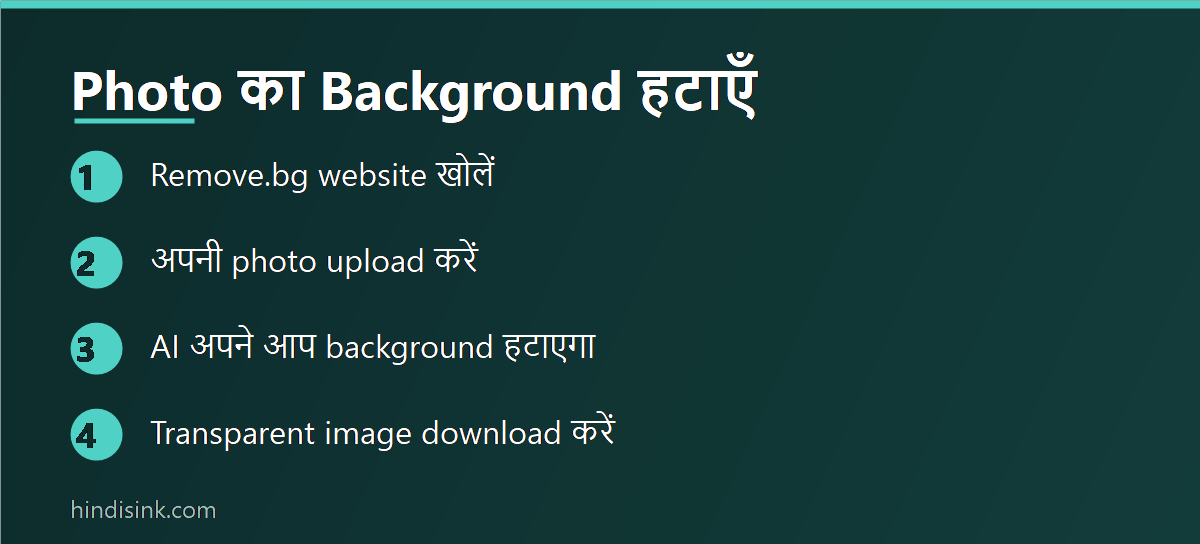
Step 1: Website Kholkar Photo Upload Kare
Mobile या computer के browser में remove.bg खोलें और Upload Image पर tap करके gallery से photo चुनें। Image को drag करके छोड़ना भी चलता है। Photo जितनी साफ़ होगी, cut उतना अच्छा आएगा।
Step 2: AI Khud Background Hata Dega
Upload होते ही कुछ सेकंड में subject अलग होकर transparent background के साथ preview में दिख जाता है। यहाँ कुछ select या erase करने की ज़रूरत नहीं पड़ती।
Step 3: Naya Background Chunkar Download Kare
नीचे Edit में जाकर सफ़ेद, नीला या कोई भी रंग background के तौर पर लगाया जा सकता है — passport photo के लिए यही काम आता है। इसके बाद Download दबाएँ।
Remove.bg Ki Free Limit – Yahi Sabse Badi Pakad Hai
Screen पर preview full quality में दिखता है, लेकिन free download काफ़ी छोटी resolution में मिलता है। WhatsApp DP, sticker या social media post के लिए यह ठीक है; print, passport photo या ID form के लिए अक्सर बहुत छोटा पड़ जाता है। Full-resolution download के लिए credits/paid plan लेना पड़ता है, और free में एक दिन/महीने में कितनी images चल सकती हैं इसकी भी गिनती होती है। ये limits कंपनी समय-समय पर बदलती रहती है, इसलिए भरोसे का काम शुरू करने से पहले website पर current plan देख लें।
Canva Se Background Remove Kaise Kare
Canva में photo को design में डालें → उस पर click करें → ऊपर Edit image → Background Remover. एक click में background हट जाता है और नतीजा full resolution में download होता है, जो remove.bg के free version पर बड़ी बढ़त है।
शर्त यह है कि Background Remover मुख्य रूप से Canva Pro का feature रहा है। कई free accounts में यह दिखता तो है पर सीमित बार चलता है, और यह account, देश और app के version के हिसाब से बदलता रहता है — अपने account में जाकर एक बार खोलकर देख लेना ही सही जवाब देगा। नए users को Pro का trial भी मिलता है, जिसमें एक-दो ज़रूरी photos निपटाई जा सकती हैं। Canva का पूरा इस्तेमाल सीखना हो तो Canva Se Paise Kaise Kamaye वाली गाइड काम की है।
PicsArt Aur Doosri Mobile Apps
PicsArt में photo खोलकर Tools → Cutout में जाएँ। यहाँ AI ख़ुद person, face या object पहचान लेता है, और सबसे बड़ी बात — जहाँ AI ग़लती करे वहाँ आप brush से ख़ुद जोड़-घटा सकते हैं। बालों या झीने कपड़े वाली photo में यह manual सुधार बहुत काम आता है, जो remove.bg में नहीं मिलता। बदले में free version में ads आते हैं और कई effects तथा stickers Gold plan के होते हैं।
इसी तरह के और भी tools हैं जो एक-click cutout देते हैं। कौन सी app किस काम के लिए ठीक बैठती है, यह AI से Photo Edit कैसे करें में तुलना करके लिखा है, और basic editing — crop, brightness, retouch — का तरीक़ा Photo एडिट कैसे करें में है।
Passport Size Photo Ka Background White Kaise Kare
सरकारी form, exam application और ID के लिए यही सबसे आम ज़रूरत है। तरीक़ा यह रखें:
- Photo ऐसी जगह खींचें जहाँ रोशनी चेहरे पर सामने से आए — पीछे की दीवार जितनी सादी होगी, cut उतना साफ़ बैठेगा।
- Background हटाकर उसकी जगह सफ़ेद या form में बताया गया रंग लगाएँ। remove.bg के Edit section या Canva में यह एक click का काम है।
- अब photo को form में माँगे गए aspect ratio में crop करें — सिर और कंधे frame में हों, ऊपर थोड़ी जगह बचे।
- आख़िर में file का size घटाएँ। हर portal की अपनी KB limit होती है और वह form के instructions page पर साफ़ लिखी रहती है — वही follow करें। Size घटाने का सही तरीक़ा (quality बचाकर) Photo का Size कैसे कम करें में step-by-step दिया है।
एक चेतावनी ज़रूरी है: कई परीक्षा और पासपोर्ट के नियम कहते हैं कि photo हाल की और बिना छेड़छाड़ वाली होनी चाहिए। Background सफ़ेद कर देना आमतौर पर चल जाता है, लेकिन चेहरे पर beauty filter, skin smoothing या shape बदलने वाला edit लगाना application reject करवा सकता है। जहाँ नियम सख़्त हों (जैसे पासपोर्ट), वहाँ studio से सही background में photo खिंचवाना ही सुरक्षित रहता है। Photo को PDF में बदलकर upload करना हो तो फोटो को PDF कैसे बनाएं देख लें।
Kaun Sa Tareeka Kab Use Karein?
| तरीक़ा | सबसे सही कब | Free में क्या मिलता है |
|---|---|---|
| फ़ोन की gallery (Samsung / iPhone / Pixel) | WhatsApp DP, sticker, जल्दी का काम | पूरा free, full resolution, internet भी नहीं चाहिए |
| Google Photos Magic Editor | Background हटाना नहीं, बदलना हो | हर महीने गिने-चुने saves |
| remove.bg | बाल और बारीक़ किनारे वाली photo | Preview full, पर download छोटी resolution में |
| Canva | Full-resolution चाहिए, design भी बनाना है | मुख्यतः Pro feature, free में सीमित |
| PicsArt Cutout | AI की ग़लती ख़ुद brush से सुधारनी हो | Free, ads के साथ; कुछ tools Gold में |
Background Remove Karte Waqt Kahan Galti Hoti Hai
- Download करके ही ख़ुश हो जाना — image को zoom करके बालों, कंधे और उँगलियों के किनारे ज़रूर देखें, ज़्यादातर गड़बड़ वहीं मिलती है।
- Screenshot ले लेना — preview का screenshot लेने से transparent background सफ़ेद/काला हो जाता है और resolution भी गिर जाती है। हमेशा download button ही दबाएँ।
- JPG में save करना — transparent background सिर्फ़ PNG में बचता है, JPG में वह अपने आप सफ़ेद हो जाता है।
- Low-light photo — जहाँ subject और background का रंग एक जैसा हो, वहाँ कोई भी AI अच्छा cut नहीं देता; photo दोबारा खींचना तेज़ पड़ता है।
- किसी और की photo — edit करके social media पर डालने से पहले उसकी अनुमति लें, ख़ासकर बच्चों की photos में।
बाक़ी रोज़मर्रा के creator tools की सूची हमारी Top Mobile Apps की हिंदी गाइड में है।
अक्सर पूछे जाने वाले सवाल
Photo ka background free me kaise hataye bina app ke?
Samsung की Gallery या iPhone की Photos app में photo खोलकर subject पर उँगली दबाए रखें — वह अपने आप कट जाता है, फिर उसे image की तरह save या किसी app में paste कर सकते हैं। कोई app install करने या internet की ज़रूरत नहीं पड़ती।
Kya remove.bg puri tarah free hai?
इस्तेमाल free है, पर free download छोटी resolution में मिलता है और images की गिनती भी सीमित रहती है। Full-resolution फ़ाइल के लिए paid credits लेने पड़ते हैं। ये शर्तें बदलती रहती हैं, इसलिए ज़रूरी काम से पहले website पर current limit देख लें।
Passport size photo ka background kaisa hona chahiye?
ज़्यादातर भारतीय form सादा सफ़ेद या हल्का रंग माँगते हैं, पर सही जवाब उसी form के instructions page पर लिखा होता है — रंग, dimension और KB limit तीनों वहीं मिलेंगे। जो लिखा है बस वही करें, अपने हिसाब से अंदाज़ा न लगाएँ।
Background hatane ke baad photo dhundhli kyu lag rahi hai?
अक्सर इसलिए कि free download कम resolution में आया है या आपने preview का screenshot ले लिया है। असली फ़ाइल download करें, और अगर वह भी छोटी है तो उसी photo को फ़ोन की gallery वाले तरीक़े या Canva से दोबारा काटें — वहाँ size पूरा रहता है।
Transparent background wali photo kaise save kare?
File को PNG में save करें। JPG format transparency सहेजता ही नहीं, इसलिए उसमें background अपने आप सफ़ेद दिखने लगता है। Logo, sticker और signature जैसी चीज़ों के लिए हमेशा PNG ही रखें।
Kya background remove karne wale tools photo store karte hain?
Online tools में photo आपके फ़ोन से उनके server पर जाती है और कुछ समय वहाँ रहती है। रोज़मर्रा की photos के लिए यह ठीक है, लेकिन Aadhaar, PAN, marksheet या बच्चों की photos इस तरह online upload करने से बचें — उनके लिए फ़ोन की gallery वाला offline तरीक़ा इस्तेमाल करें।